Easy Score: A Free Lead Sheet Maker That Takes MIDI Straight from Your DAW
Easy Score is a free lead sheet maker in your browser: click in a melody or drag a MIDI part from your DAW onto a bar, then add chords and lyrics and print it.
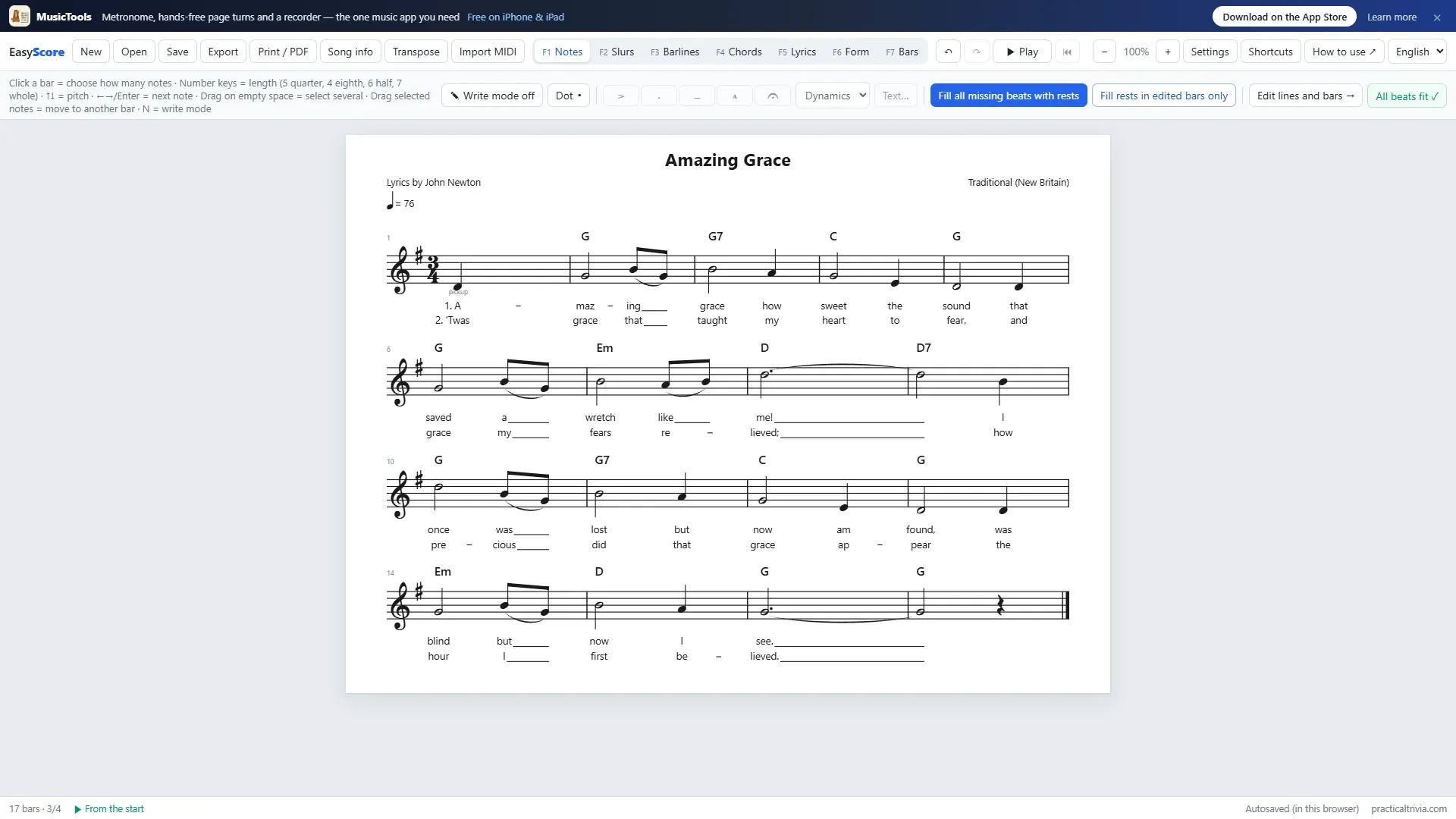
A lead sheet is the one-page score a band actually plays from: the melody on a single staff, the chord symbols above it and the lyrics underneath. Writing one shouldn’t take a full notation program and an afternoon, so I made Easy Score, a free lead sheet maker that runs in your browser.
I wanted it to do two things well. Writing a lead sheet should be quick, even if you’ve never used notation software. And if the melody already lives in your DAW, you shouldn’t have to type it in again: drag the MIDI onto the score, and it’s there.
Open Easy Score. It’s free, there’s nothing to install, and you don’t need an account.
Lead sheets, the quick way
Easy Score works in modes, one job at a time, so the screen never shows more than you need: Notes, Slurs, Barlines, Chords, Lyrics, Form and Bars, each one key away (F1 to F7).
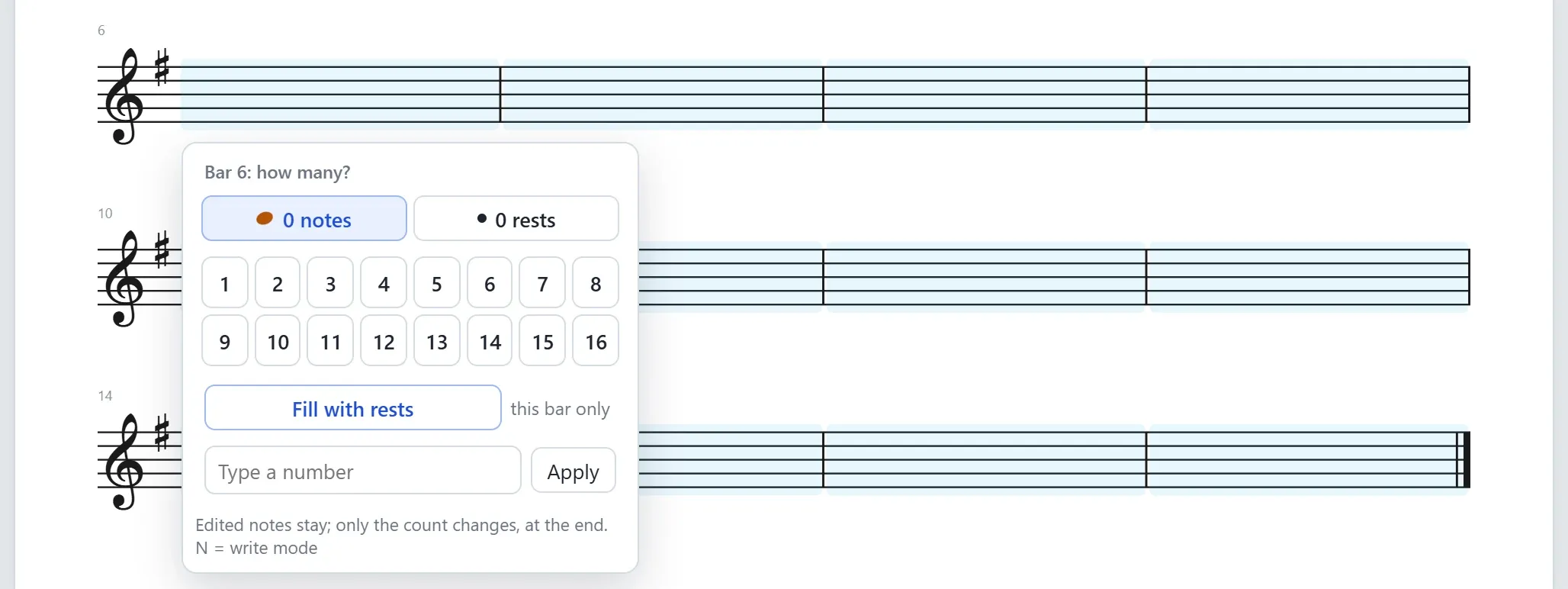
Notes usually take the longest, so that’s where most of the thinking went. Click a bar and pick how many notes it has. Then give each note its length with a number key (5 for a quarter, 4 for an eighth, 6 for a half) and its pitch with the arrow keys, or a letter from A to G. A bar whose beats don’t add up turns red until they do, and one button fills whatever is left with rests.
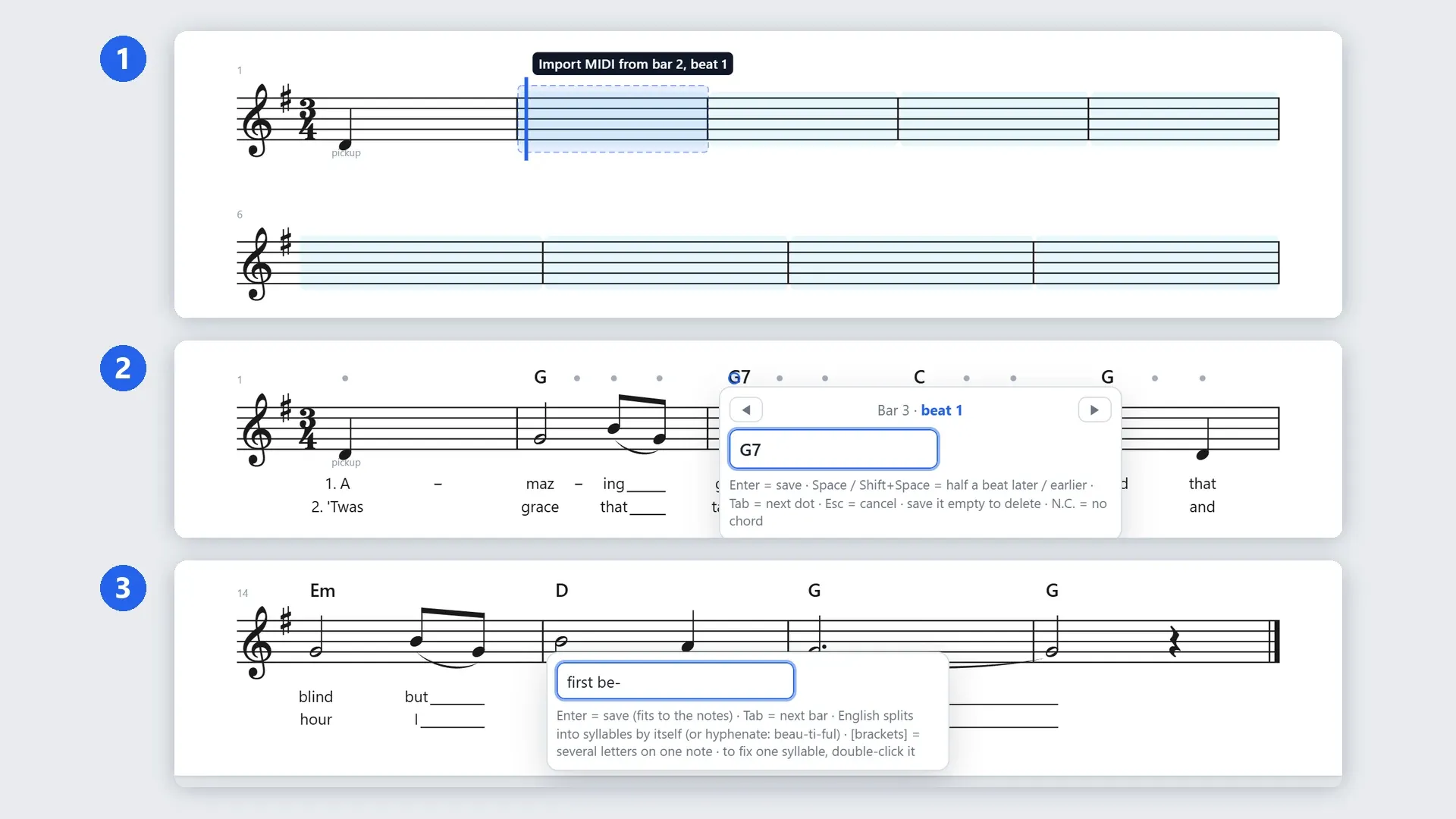
Chords go on the dots above each bar: click one, type G7, F#m7b5 or C/E, and press Enter. Space moves the chord by half a beat.

Lyrics are typed one bar at a time, and the syllables land on the notes by themselves. English words split into syllables on their own, and a hyphen splits them where you want. A song with three choruses gets three verse rows, and each line of music shows only the verses sung there, numbered where they split.

Repeats, 1st and 2nd endings, D.S., D.C., Coda and Fine are in Barlines mode, and playback follows them, so you can hear whether the road map is right. Need it in another key? Transpose moves the notes, the chords and the key signature together.
From your DAW to a lead sheet
This is the part I use most. If you sketch melodies in a DAW, the notes already exist, and the lead sheet is just another way of looking at them. In Easy Score you drag the MIDI onto the bar where it should start. A marker shows the bar and beat it will land on.
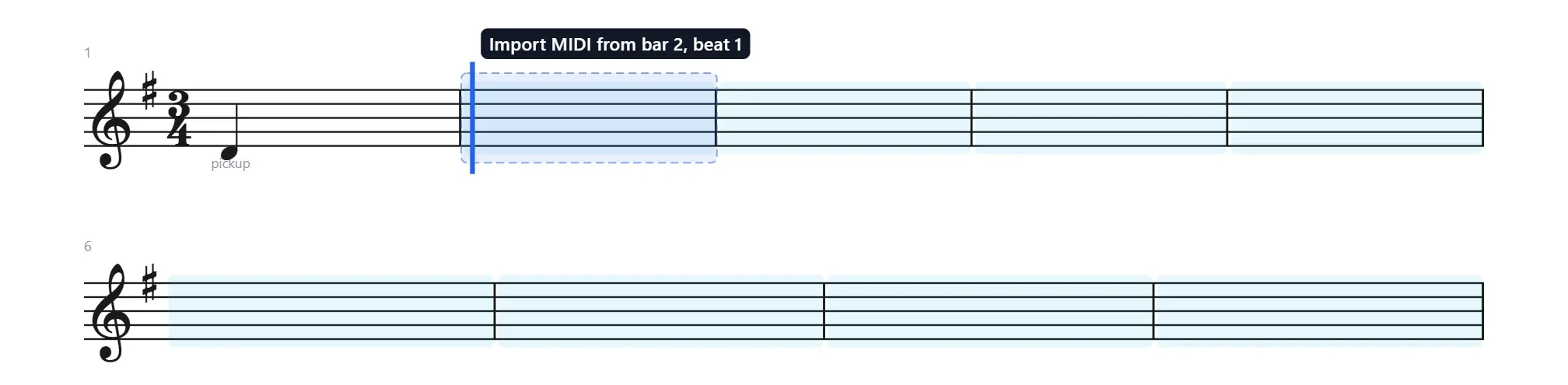
When you let go, the notes come in, quantized to sixteenths (or thirty-seconds where you played them that tightly), with long notes tied across the barlines. Where several notes sound at once, it keeps the top one, which is usually the melody.
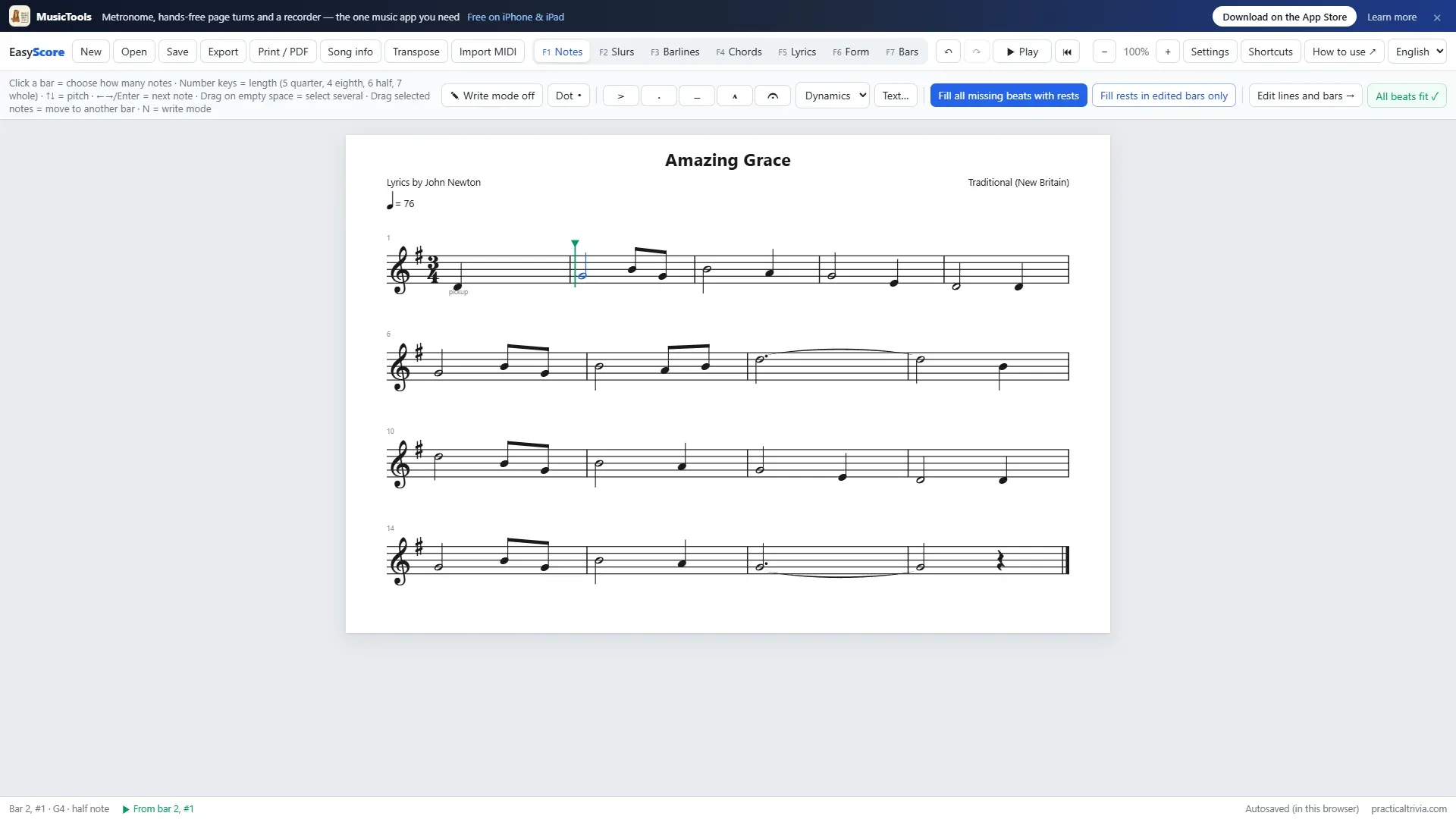
In Cubase you can drag the MIDI part from the project window straight onto the bar. With other DAWs, export the part as a .mid file, or drag it to your desktop first, and drop that file; the Import MIDI button does the same from a file dialog. Then add the chords and lyrics on top, and you have a lead sheet that matches your recording note for note.
Print it, or take it elsewhere
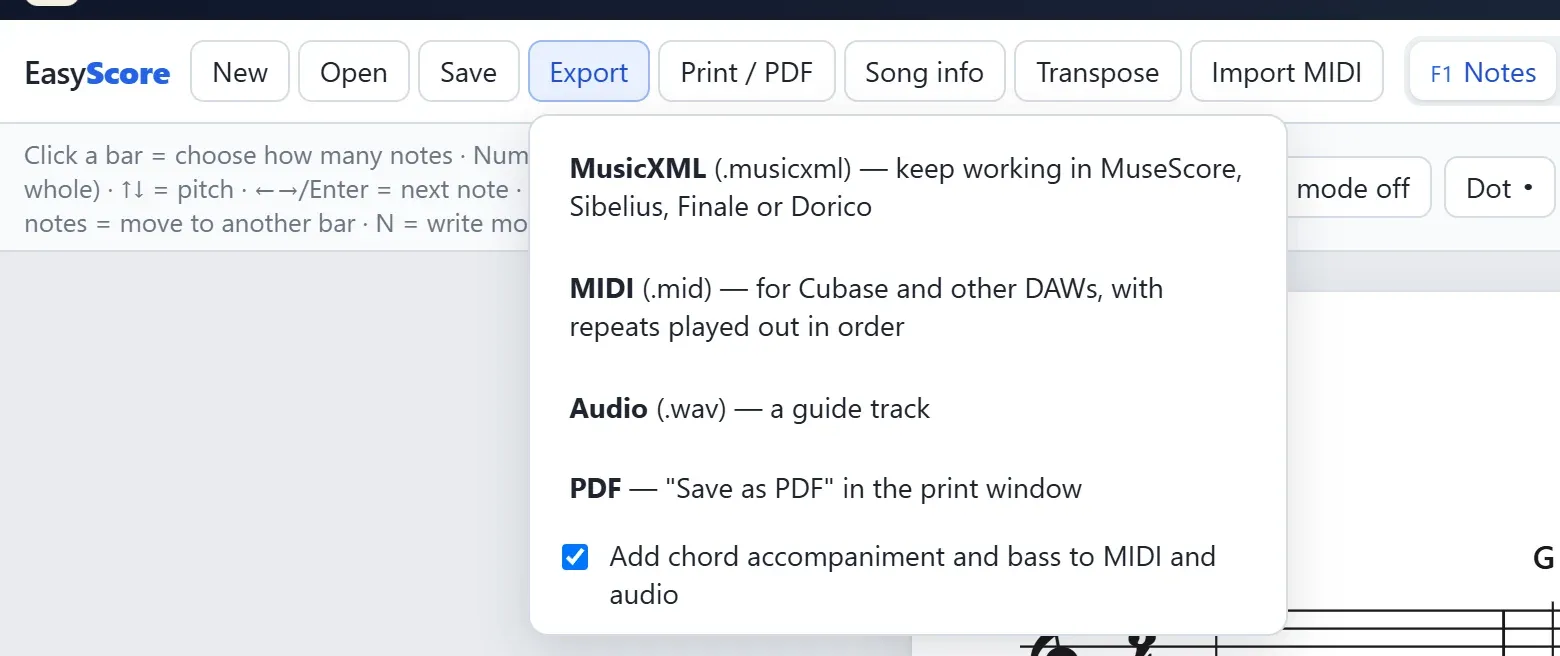
When it’s done, print it, or save it as a PDF from the print window, with the title, the artist and the lyricist at the top. For other programs there’s MusicXML, which MuseScore, Sibelius, Finale and Dorico open, and MIDI back to your DAW with the repeats played out in order. There’s a WAV export too, for a guide track, with chord accompaniment and bass if you want them.
Free, and your scores stay with you
Easy Score is free and runs in your browser. Your score is saved in the browser as you work, and in a file on your own computer when you press Save; nothing is uploaded anywhere. It comes in English and Korean (the language menu is at the top right).
If you’re new to it, How to Make a Lead Sheet with Easy Score goes through a whole song, step by step, and the How to use button in the app opens that post too. The song in these pictures is Amazing Grace: its tune, New Britain, and John Newton’s words are in the public domain.
It’s still growing, so if there’s something you’d like it to do, I’d like to hear it. My email is on the About page.
Easy Score is where I write lead sheets. For reading them at the piano or in rehearsal, I make MusicTools, an iPad and iPhone app that turns the pages for you and has a metronome and a recorder built in.