[MusicTools dev note] Why setTimeout Can't Keep Time: A JavaScript Metronome on the Audio Clock
My app's metronome stuttered on a real iPhone. Why a setTimeout metronome can't keep a beat, how booking clicks on the Web Audio clock fixed it, and code to hear it.
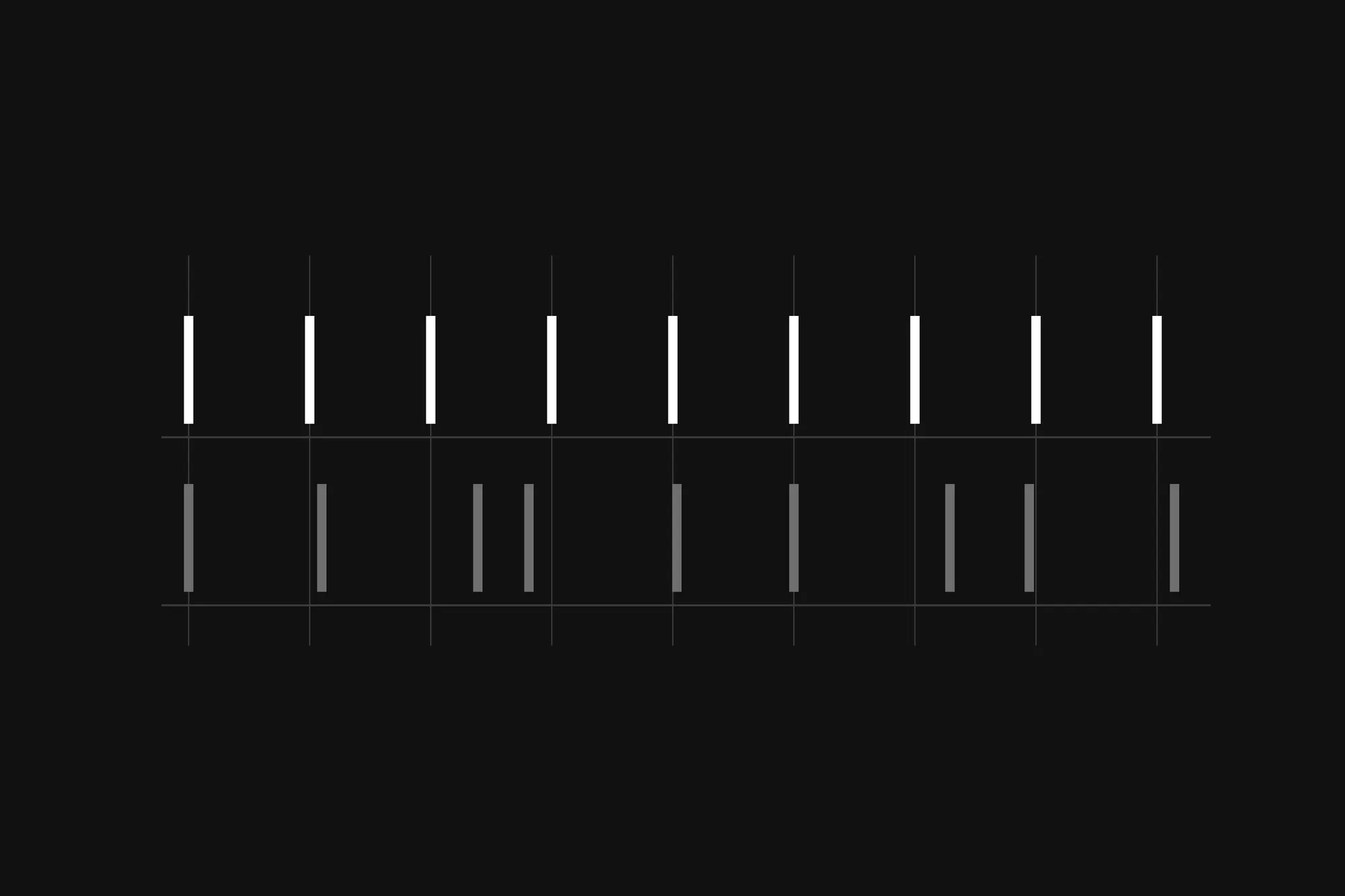
I make a sheet music app called MusicTools, and the metronome has been in it since the first day. It’s also where I learned my first lesson about time on a phone: a JavaScript timer can tell you roughly when, but it can’t keep a beat.
This is the first of my MusicTools dev notes. Each one takes one feature of the app: what happened while I built it, how it works now, and a few lines of code you can run to see the idea for yourself. They aren’t step-by-step tutorials.
What happened: fine on the emulator, stuttering on my iPhone
MusicTools is a React Native app, built with Expo. My first metronome did the obvious thing: a JavaScript timer went off for each click, and when it did, the click sound played right then. The sound came from expo-audio, a library for playing audio files.
On the Android emulator on my PC it sounded fine. A few days later I turned it on my iPhone to actually practice with it, at around 120 BPM, and every now and then a click came at a slightly odd moment, a little off the beat. A metronome you can’t trust is worse than none.
Why: the click waited for JavaScript
Two things were wrong, and they added up.
First, a timer like setTimeout or setInterval only promises to run your code no earlier than you asked. It runs on the JavaScript thread, and if that thread is busy at that moment (laying out the screen, handling a touch, cleaning up memory), your code waits its turn. In my metronome the timer’s code was the click, so every bit of waiting landed on the beat. My PC was fast enough to hide that. The phone wasn’t.
Second, on iOS that audio library created a whole new media player item for every click. That kind of player is built for streaming a song, not for firing a short sound twice a second, so each click brought a delay of its own.
How I built it: book the clicks ahead on the audio clock
The fix was to stop playing clicks when the timer goes off, and to book them ahead of time on a clock that doesn’t wait for JavaScript.
The sound hardware keeps its own clock. In the Web Audio API it’s AudioContext.currentTime: seconds since the audio started, counted by the audio hardware as it plays. You can hand the audio engine a sound together with a time on that clock, source.start(when), and the engine plays it exactly then, whatever JavaScript is doing at that moment.
So I moved MusicTools to react-native-audio-api, a library that brings the Web Audio API to React Native, and rebuilt the metronome around that:
- A timer still runs, but only as a helper. Every 25 ms it wakes up and books every click that falls due in the next 250 ms.
- If JavaScript is late, only the booking is late. Clicks already handed to the engine play on time.
- The look-ahead has to be longer than the longest hiccup you expect. 250 ms is ten times the refill interval, so a long stall still finds the next clicks already booked.
One more thing holds it together. In MusicTools the click isn’t the only thing that keeps time: the pages turn in time with the music too. Both read the same elapsed time from one clock, so the clicks and the page turns can’t drift apart. Each click sound is also decoded once when the app starts, so pressing Start never waits for a file to load.
None of this is new, by the way. Chris Wilson’s article A tale of two clocks explains the same pattern for the web, and it’s well worth reading if you schedule anything with Web Audio.
Try it yourself: two metronomes in your browser’s console
react-native-audio-api follows the Web Audio API, so the same idea runs in any browser. Open a page and click anywhere on it once (browsers only let a page play sound after you’ve interacted with it). Then open the developer console (F12 in Chrome or Edge on Windows, Option-⌘-J in Chrome on a Mac) and paste this. Both metronomes tick at 120 BPM, about the tempo I was practicing at:
const ctx = new AudioContext();

// One short click, starting exactly at `when` on the audio clock.
function click(when) {
  const osc = new OscillatorNode(ctx, { frequency: 1500 });
  const amp = new GainNode(ctx, { gain: 0 });
  amp.gain.setValueAtTime(0.4, when);
  amp.gain.exponentialRampToValueAtTime(0.001, when + 0.03);
  osc.connect(amp).connect(ctx.destination);
  osc.start(when);
  osc.stop(when + 0.05);
}

// 1. A timer goes off, and the click plays right then.
function timerMetronome(bpm = 120) {
  const beat = 60000 / bpm;
  let last = performance.now();
  const id = setInterval(() => {
    click(ctx.currentTime);
    const now = performance.now();
    console.log(`gap ${Math.round(now - last)} ms (should be ${beat})`);
    last = now;
  }, beat);
  return () => clearInterval(id);
}

// 2. Every 25 ms, book the clicks due in the next 250 ms on the audio clock.
function audioClockMetronome(bpm = 120) {
  const beat = 60 / bpm;
  let next = ctx.currentTime + 0.1;
  const id = setInterval(() => {
    while (next < ctx.currentTime + 0.25) {
      click(next);
      const ahead = Math.round((next - ctx.currentTime) * 1000);
      console.log(`booked a click ${ahead} ms ahead`);
      next += beat;
    }
  }, 25);
  return () => clearInterval(id);
}

// Keeps the page busy for a moment, the way a heavy screen update would.
function busy(ms) {
  const until = performance.now() + ms;
  while (performance.now() < until) {}
}
Start the timer metronome, then keep the page busy for 200 ms at a time:
let stop = timerMetronome();
const jam = setInterval(() => busy(200), 450);
Listen for a few seconds. Then switch to the booked metronome, with the page just as busy:
stop();
stop = audioClockMetronome();
When you’ve heard enough, stop(); clearInterval(jam); ends both.
If you can’t turn the sound up, watch the console instead. In Chrome on my PC, with the page jammed like that, the timer metronome printed this:
gap 657 ms (should be 500)
gap 446 ms (should be 500)
gap 460 ms (should be 500)
gap 439 ms (should be 500)
One click came 157 ms late, and the next ones hurried to catch up: the same kind of off-beat click I was hearing. The booked metronome printed lines like booked a click 152 ms ahead and booked a click 221 ms ahead: the busy page only shrank how far ahead each click was booked, and since every one was booked before it was due, they all played exactly 500 ms apart.
What I’d keep
Don’t use a timer as your clock. Use it to book work on a clock that doesn’t wait for you, and book far enough ahead to ride out the longest stall you expect. It took me a stuttering iPhone to learn that, and the same rule holds for anything that has to land on time in JavaScript: music, games, or animation that follows sound.
About this series
MusicTools is the app I make on my own: a sheet music reader for iPad and iPhone that turns your pages for you, in time with the metronome, by half a page, or with a wink. These notes tell how its features came about, one per post; the list of them is just below.
I build MusicTools with Claude Code, Anthropic’s AI coding assistant. I decide what the app should do and try it on my own iPhone and iPad, and much of the code and the bug hunting in these notes came out of those sessions.